
Workshop Navigation
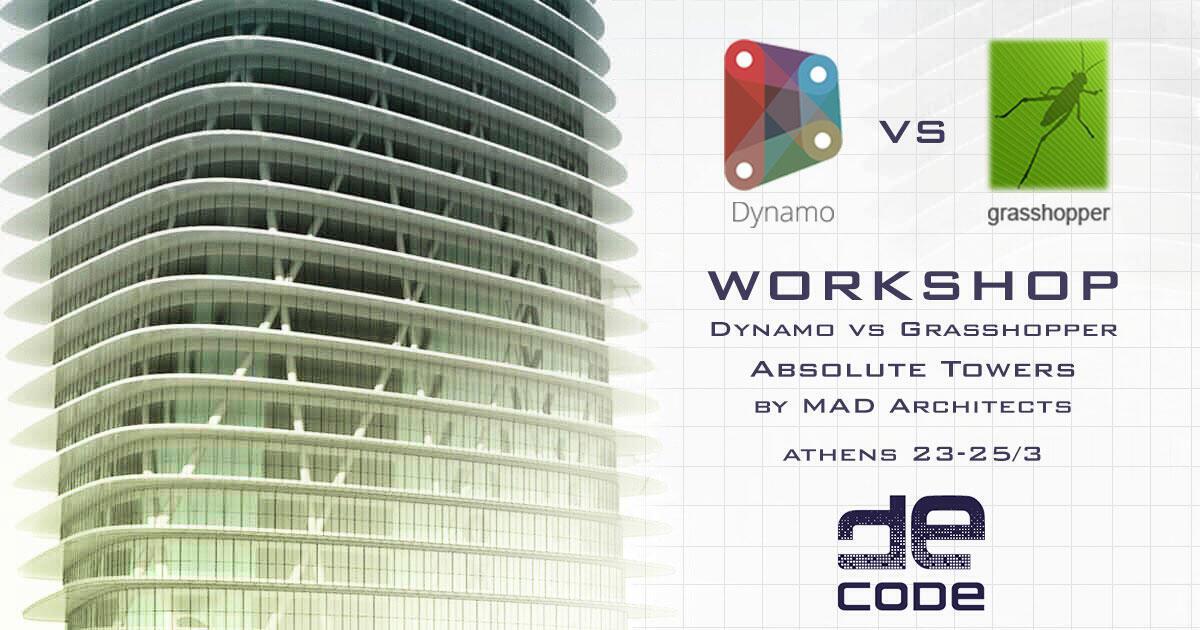
Grasshopper vs Dynamo – MAD Tower is a 3 days (24-hour) Grasshopper3d /DynamoBIM workshop consisting of two consecutive parts, a 2-day (16-hour) general introduction to Grasshopper3d and Dynamo and a 1-day (8-hour) of in depth knowledge focusing on more elaborate generative strategies for both platforms. The workshop will focus on the automated generation for a twisting High-rise building design similar to the towers of MAD architects, concluding with a quick procedural design proposal from each participant. Recognised as an official beginners course, all trainees receive an Official McNeel Grashhopper Certificate upon completion.

Image (c) by MAD Architects
This 3 days workshop is designed for everyone who is interested in gaining a beginners parametric and generative modelling skills in two separate platforms, with a focus on preparing extremely time-consuming design scenarios. During the workshop, you will follow a linear process from understanding Grasshopper’s data and Dynamo’s list management, manipulate them organise them and at the end articulate them into loops of formal expression. Information will flow in an accelerated pace.
It is strongly recommended to attend the whole course to get a complete understanding of the workflow behind associative modelling both with Grasshopper3d and with DynamoBIM. It is of course possible to attend only the weekend part of the course separately, if you wish and you feel confident with the basics of Grasshopper3d however is not recommended.)

Prominent Features / Skills Developed
In this training course, you will learn to understand, generate and manipulate complex associative models in Grasshopper3d and DynamoBIM. This fast-moving class covers most of Grasshopper’s functionality, including the most commands. You will systematically move through the user interface, command access, creation and editing of curves, surfaces and solids.
The duration of every course is 24 hours. The course is intensive and spans three consecutive days (10:00 to 18:00).

Structure
In this class, you will systematically move through the user interface, component access, generation editing and articulation of both platforms associative modules. Information will be presented at an accelerated pace.
Key Learning Points
After this course the student is expected to be able to:
- Move comfortably around the Ghrasshopper3d/DynamoBIM platform
- Reevaluate the intuitive way of design and thinking
- Create and parametrically control designs
- Use numerically control modelling
- Associate and export data from Grasshopper/Dynamo to other formats for digital fabrication.

Curriculum
At decode™ effective training is achieved through an intriguing goal instead of generic exercises. The Grasshopper vs Dynamo workshop will be taught by parametrically modelling a design scenario on both platforms. In this way, each student will be guided through the experience of completing a challenging and interesting design project of his/hers choice, and managing to use associative modelling components in synergy through various techniques, just like a professional would.
Through the teaching steps the following concepts will be covered:
- Get acquainted with the Grasshopper3d/DynamoBIM GUI
- Navigate around the Grasshopper/ DynamoBIM canvas
- Create associations between Grasshopper3d/DynamoBIM data
- Parametric modelling set-up and profiling functions
- Panelling methodologies
- Adaptive and dynamic systems
On Data Management
Understand how Grasshopper3d/DynamoBIM handles information and data and how you can use numbers to generate geometry.
- Draw Points and line
- Create 3-diamensinal objects from simple rules
- Manipulate and dynamically affect the parameters of a model

On Paneling
Explore different approaches on how to panelize 3d geometries.
- UV surfaces
- Parametric 3-diamnesional space
- Profiling
- Generative patterns

On Attractors
Create distance based associative objects that affect the initial design.
- Point Attractor
- Curve Attractor
- Bitmap Attractor
- Probabilistic Attractors

Target Audience
This course is for the design professional who wants to efficiently learn the concepts and features of the Grasshopper3d add-on for Rhinoceros and the DynamoBIM add-on for Revit at an accelerated pace in an instructor-led environment.)
Pre-requisites
Requires Windows skills and desire to learn and solve problems. Previous drafting and modelling experience helpful but not required. If trainees have attempted to work through tutorials on either had a few attempts on the interface of Grasshopper3d/DynamoBIM, this will help.)
All participants are required to have:
- Their personal laptop with them. Additional NUC computers can be provided after timely communication.
- Rhinoceros3d V5.0 pre-installed. You can download a 90-days evaluation version from http://www.rhino3d.com/
download - Grasshopper 3d (latest version) pre-installed. You can download the plugin for free from http://www.
grasshopper3d.com/page/ download-1 - Revit 2018 or 2017 pre-installed. Downoad a free 30days trial from http://www.autodesk.co.
uk/products/revit-family/free- trial - Dynamo 1.3.2 (latest version) from http://dynamobim.org/
download/. - Lots of patience and positive thinking, learning is fun after all!
March 23, 2018 @ 10:00 - March 25, 2018 @ 18:00
Cost: 195€ – 255€Early Bird Discount
Early bird discount available for limited time and slots only !